

Can a Minor Have a Shopify Store? What Parents Need to Know in 2026
Your child has made ten bracelets, chosen a business name, and announced that the next step is “a real website.” You open Shopify because that is what many adult businesses use. Then the setup asks for a legal name, business address, bank information, and an adult account owner.
That is the point where this stops being a simple website project.
That arrangement can work. It is often the right choice for a serious ecommerce operation. It can also turn a child’s first business into another system the parent ends up running.
This guide explains the practical difference.
What Shopify’s age rule actually means
Shopify is an adult commerce platform. Its terms say the account holder must be the older of 18 or the local age of majority. The person who opens the account becomes the store owner and is responsible for the account, the products, customer commitments, refunds, taxes, shipping policies, and compliance.
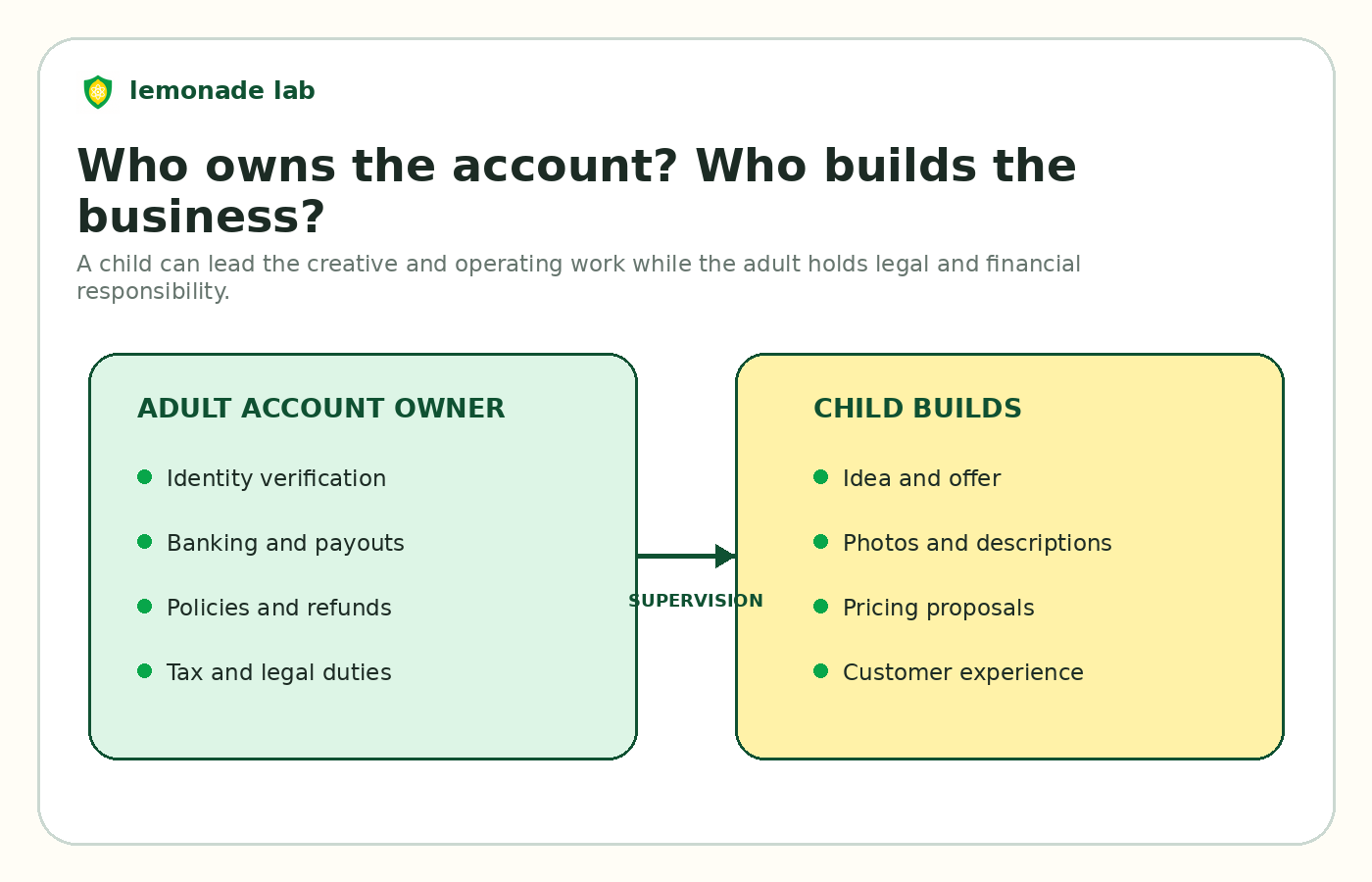
A parent therefore cannot simply enter a child’s birthday and let the child become the legal merchant. The compliant setup is:
- The parent opens the Shopify account in the parent’s legal name or business name.
- The parent connects the payment and banking information.
- The parent remains the store owner and accepts the legal responsibility.
- The child helps create products, write descriptions, take photos, pack orders, and make business decisions under the parent’s supervision.
Shopify supports staff permissions on eligible plans, so an account owner can decide what another user may access. The exact permissions and number of staff accounts depend on the plan. Do not assume that the lowest plan includes every collaboration option.
The important point is not the login. It is ownership. Shopify recognizes the adult as the merchant.
What a parent is taking on
Parents often focus on the website and card payments. Those are only the visible parts of the job.
With a parent owned Shopify store, the adult is also taking responsibility for:
- The subscription and payment fees
- Public contact information and store policies
- Product claims and customer service
- Shipping, delivery dates, returns, and refunds
- Sales tax or GST and HST questions
- Chargebacks and payment disputes
- Privacy and customer data
- Any apps, themes, domains, or recurring services added to the account
None of that makes Shopify a bad choice. It makes it a real business platform. The question is whether that level of machinery matches the business your child is building today.
What Shopify costs for a child’s first store
Shopify’s Basic plan is currently listed at US$39 per month when paid monthly, or US$29 per month when billed yearly in the United States. In Canada, Basic is listed at C$49 per month, or C$37 per month when billed yearly. Card processing fees apply to sales, and extra costs can include a domain, paid theme, apps, shipping tools, and third party payment fees.
Using the annual price, a U.S. parent is committing about US$348 before the first sale. A Canadian parent is committing about C$444 before the first sale. That may be entirely reasonable for a shop with steady demand. It is a high fixed cost for a child who is still testing whether anyone wants the product.
Here is the practical test:
| Situation | Does Shopify make sense? |
|---|---|
| Your child wants to test one product with family and neighbours | Usually more platform than needed |
| The parent already runs an ecommerce business | Often a practical extension of the existing setup |
| The shop needs complex inventory, shipping rules, apps, and marketing | Strong fit |
| The child is likely to change ideas next month | Fixed monthly cost can become wasteful |
| The goal is for the child to independently experience being the founder | Possible, but the experience is designed around an adult merchant |
Where Shopify is genuinely better
Shopify is one of the strongest choices when the business has already moved beyond the experiment stage.
Choose Shopify when:
- The parent intends to own and actively operate the business
- The product line is stable and expected to generate recurring sales
- You need sophisticated inventory or shipping tools
- You want access to a large app and theme ecosystem
- You plan to advertise, sell across multiple channels, or expand internationally
- The monthly cost is small relative to expected revenue
A parent selling a child designed clothing line at meaningful volume may be better served by Shopify. The same is true for a family business with dozens of products and complicated fulfillment.
Shopify is not merely a website builder. That depth is its advantage.
Where Shopify becomes awkward for a child
The friction appears when the parent’s goal is not to launch a family ecommerce company. The goal is to help a child build confidence, make decisions, and learn what it feels like to run a first business.
A standard Shopify dashboard assumes the operator already understands products, inventory, payment settings, domains, policies, analytics, and fulfillment. It does not provide a child specific parent approval layer. It does not turn business progress into quests, status, or a founder identity. It also does not separate “the child is building” from “the adult is legally responsible” in a way designed for families.
As a result, one of two patterns often develops:
The parent becomes the operator. The adult builds the site, fixes the settings, writes the policies, and handles the orders. The child becomes the product idea rather than the founder.
The store stalls. The setup feels too large for the size of the idea, so the family pays for a few months and quietly cancels.
That pattern matters. The best platform is not the one with the most features. It is the one the child will actually use while the parent can supervise the parts that require an adult.
Shopify versus Lemonade Lab for a child’s first business
Lemonade Lab is built around a different operating model. The child creates the business, products, services, shop, and customer experience. The parent connects to supervise activity and approve money movement where required.
| Decision factor | Shopify | Lemonade Lab |
|---|---|---|
| Account model | Adult merchant owns the store | Child builds inside a parent supervised system |
| Best for | Established ecommerce and family run brands | A child or teen’s first real business |
| Fixed cost | Monthly subscription on standard plans | Free to start, no card or time limit |
| Payments | Full adult commerce stack | Payments built into the child’s shop experience |
| Parent oversight | Configured through adult account access and permissions | Parent dashboard and approval flows designed for families |
| Child motivation | Standard merchant dashboard | Quests, progress, status, and founder identity |
| Marketplace traffic | No built in marketplace demand | Community discovery exists, but families should still expect to share and promote the shop |
| Advanced ecommerce depth | Excellent | Intentionally simpler than Shopify |
Current Lemonade Lab pricing allows a child to start free. The first $100 earned each month has no transaction fee, after which a 3.5% shop running cost applies. Cashout processing costs may apply and are shown before a parent approves a cashout. Optional memberships add tools and may remove some cashout costs.
Lemonade Lab is not a replacement for every Shopify store. It does not offer Shopify’s app ecosystem or the same depth for a mature retail operation. It is the better fit when the child should be the one building and the business is still part product, part confidence building, and part real world practice.
A simple decision rule for parents
Ask one question: Who is supposed to become more capable because this business exists?
If the answer is “the parent wants to build a scalable ecommerce company around the child’s product,” Shopify is a strong option.
If the answer is “the child should learn to make decisions, create a shop, communicate with customers, earn money, and keep building,” start with a platform designed around that child.
You can always move to a more complex adult commerce stack later. It is much harder to give ownership back after the parent has taken over every operating decision.
A practical setup that preserves the child’s ownership
Whichever platform you choose, divide the work before opening the account.
The child can own:
- The idea and business name
- Product or service design
- Photos and descriptions
- Pricing proposals
- Customer thank you notes
- Packaging choices
- A simple record of revenue and costs
The parent should own or review:
- Account verification and banking
- Public contact information
- Safety and customer communication boundaries
- Refund and fulfillment commitments
- Taxes and local rules
- Payout approval
- Any purchase or recurring subscription
That division makes the business real without asking a child to carry adult legal responsibilities.
Frequently asked questions
Can a 13 year old run a Shopify store?
A 13 year old cannot open and legally own the Shopify account. A parent or other adult can own the account and supervise the child’s participation. The adult remains responsible for the store.
Can I put the Shopify store in my child’s name?
Shopify requires the account holder to meet its age rule and provide accurate legal information. Use the adult owner’s information for the account and payment setup. You can still feature the child’s brand and story publicly, while protecting personal information.
Can the child take over the store at 18?
Shopify has processes for changing account ownership, subject to its current requirements. Plan the transition carefully, including banking, tax records, domain ownership, and customer obligations.
Is Shopify safe for kids?
Shopify provides security and commerce controls for merchants, but it is not a child specific environment. A parent should control the account, decide what personal information is public, supervise customer contact, and review every app or integration.
What is the easiest way to test a child’s idea first?
Use a no fixed cost setup, create a small product list, and try to earn the first few sales from known customers. Lemonade Lab can create a real child run shop with parent oversight. A simple local order form can also work for an early test, although it will not provide the same shop and payment workflow.
The decision
A minor cannot have a Shopify account in their own legal capacity. A parent can create one, but the parent is then running a real adult merchant account with the responsibilities that come with it.
Use Shopify when the business already needs Shopify. Use Lemonade Lab when the child needs a place to become the founder.
Platform rules and prices were checked on August 17, 2026. Fees and policies can change. This article is general information, not legal, tax, or accounting advice.